 Superfocus
Best pomodoro app: Superfocus vs Pomofocus vs Forest
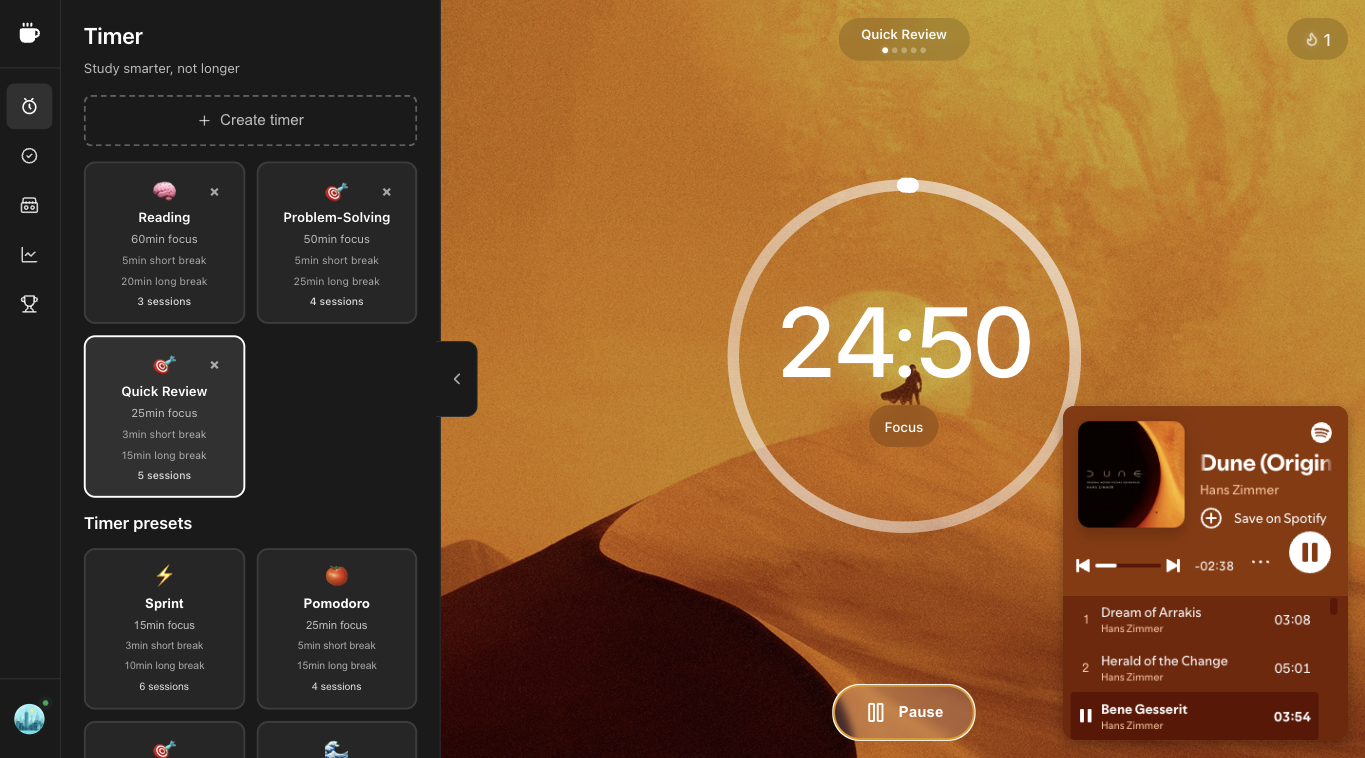
If you work on a laptop, Superfocus is $1.99/month for timer, one task, and optional sound. Pomofocus is a clean 25/5 clock. Forest grows a tree so you leave your phone alone.
The stall
- Read ten “best pomodoro apps” lists.
- Install Pomofocus, Forest, and a lofi tab.
- Still have not started a single 25-minute block.
The block
- Match the tool to the job, then stop shopping.
- Browser work → Superfocus at $1.99/month.
- Naked tomato → Pomofocus. Phone addiction → Forest.
Direct answer
The best pomodoro app is the one that matches where you actually fail:
- Laptop / browser work — Superfocus. One tab holds the countdown, a named task, optional lofi or rain, and a record of finished blocks. Premium is $1.99/month. There is no guest timer and no free plan.
- You only want 25 on / 5 off — Pomofocus. It is a fast, well-known tomato clock. Keep it if you do not want sound, Todoist, or analytics in the same page.
- You cannot stop picking up the phone — Forest. A tree grows while the phone stays locked. That does not run your desktop writing, coding, or studying.
This is not a 40-app awards post. It is Superfocus vs Pomofocus vs Forest, plus when Focusmate or Flocus is the honest pick instead.
Superfocus vs Pomofocus vs Forest
| If this is the job | Use | What you get | What you pay |
|---|---|---|---|
| Timer + task + sound on the computer you work on | Superfocus | Pomodoro, Sprint, Flow, and Deep Work presets; cassettes; Todoist; completed-session stats | $1.99/month. No free tier. |
| A tomato clock and nothing else | Pomofocus | Classic 25/5 page, light task list | The web timer is free; paid extras live on their site if you want them |
| Leave the phone face-down | Forest | Gamified lock; a tree if you wait | Paid mobile app. Not a desktop focus suite. |
| A stranger on camera so you start | Focusmate | Scheduled co-working | Their session pricing. Use Superfocus afterward for solo blocks. |
Pomofocus: keep it when the clock is the product
Pomofocus won because it looks like a kitchen timer in a browser. If you already have Spotify elsewhere and a task list elsewhere, and you like that split, stay. Superfocus is the upgrade when that split is the reason sessions die: you open lofi on YouTube, the sidebar recommends a video, and the pomodoro never starts.
Choose Superfocus over Pomofocus when you want the same 25/5 default plus longer presets (Flow, Deep Work), sound that is not a second destination, and a log of blocks you actually finished — billed at $1.99/month, not as a “free timer plus three other subscriptions.”
Forest: a tree is not the assignment
Forest is good at one job: making the phone expensive to unlock. If that is your leak, use it. If your leak is Slack, docs, and a music tab on a laptop, a tree on iOS does not write the essay. Pair Forest on the phone with Superfocus on the computer, or skip Forest and put the phone in another room.
Flocus, Focusmate, and other near-misses
Flocus mixes a pretty timer with sound. If you are already paying for a dashboard you customize more than you use, Superfocus is the smaller loop: clock, cassette, task. Focusmate is accountability with a human. It is not a pomodoro app. Book a session when you cannot start alone; run Superfocus when you can.
Who should not subscribe to Superfocus
Do not pay $1.99/month if you want a $0 tomato and will never use sound, tasks, or history. Use Pomofocus. Do not pick Superfocus as a Forest clone — we do not grow trees. Pick Superfocus when you already work in a browser and you are tired of a timer tab, a music tab, and a task tab fighting each other.
Questions people actually ask
What is the best pomodoro app?
For laptop work, Superfocus ($1.99/month) keeps the clock, one task, and optional lofi or rain in the same browser tab. Pomofocus is better if you only want a 25/5 countdown. Forest is better if the phone is the problem.
Superfocus vs Pomofocus — which should I use?
Keep Pomofocus if a tomato timer is the whole product. Choose Superfocus when you also want cassettes, a named task, Todoist, and a log of finished sessions instead of three extra tabs.
How much does Superfocus cost?
Premium is $1.99/month. There is no guest timer and no free plan. Subscribe, then use the timer at /app.
Keep going
Run this in Superfocus
One plan. $1.99/month after a 7-day trial. No free plan. Timer lives at /app after you subscribe.